
Darkroom Software
  • Home
  • Products
    • Darkroom Core & Pro
      • Templates
      • Supported Hardware
      • FAQ
    • Darkroom Booth
      • Templates
      • Supported Hardware
      • FAQ
    • Darkroom Assembly
      • FAQ
    • Booth for iPad
      • FAQ
    • Hotfolder App
      • FAQ
    • Event Gallery
      • FAQ
  • Pricing
  • Support
    • Help Center
    • Webinars
  • Downloads
  • Blog
  • Start a Free Trial
Select Page
Attract Attention with Attract Mode

Attract Attention with Attract Mode

by Eric Woodchek | Jun 26, 2018 | A Wise Idea Archives, Booth, Darkroom Booth Archives, How To, Tips & Tricks Interview, Wedding Photography

Howdy Darkroom Booth Users, Did you know that you could set a slideshow to display in between sessions using attract mode? Of course you did, but you use a secondary screen for your slideshow because you are the cat’s meow and bee’s knees. For those that didn’t know,...

Inside Look at Darkroom Software in Large Scale Operations

by Eric Woodchek | Jun 13, 2018 | Booth, Customer Profile, Darkroom Booth Archives, Darkroom Core and Pro, Event Photography Archives, News & Updates Archives

Get an inside perspective of how one company relies on Imaging Spectrum for hardware and Darkroom Software to run their large operation. Darkroom Software dedicates to serve a variety of businesses, ranging from portable photo booths to large scale venues. Check out...
Make Canvas Wraps with Darkroom Core and Epson Printers

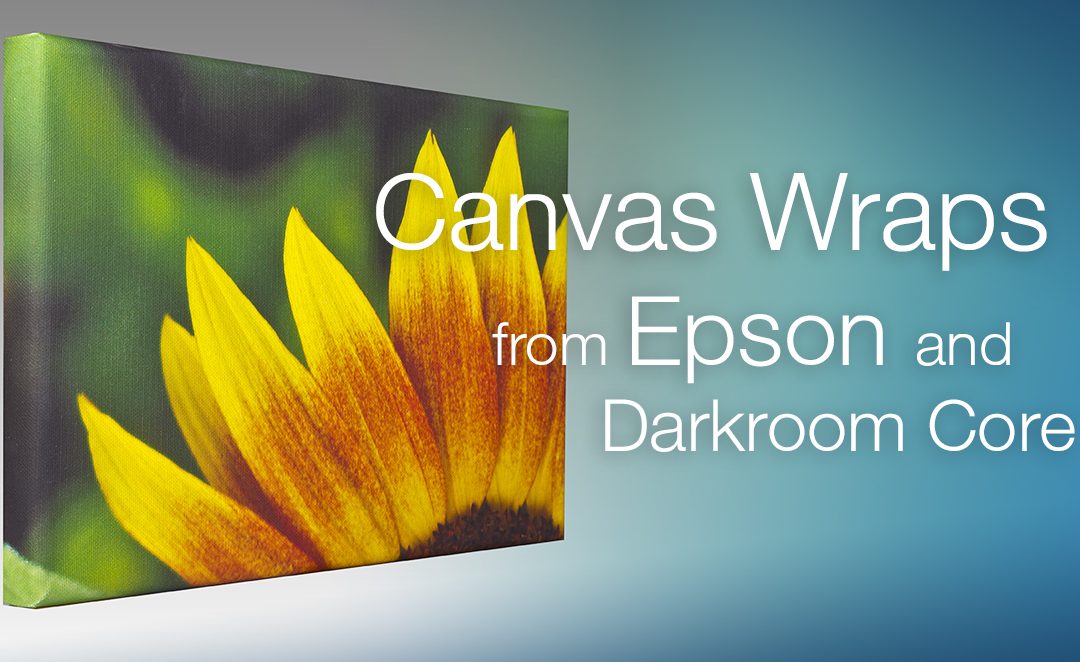
Make Canvas Wraps with Darkroom Core and Epson Printers

by Eric Woodchek | May 14, 2018 | A Wise Idea Archives, Darkroom Core and Pro, How To, News & Updates Archives, Newsletter Articles, Promotion, Templates

One of the tricks to using an Epson 24” (SureColor P6000/ P97000) or Epson 44” (SureColor P8000/ P9000) printer on canvas is to learn how to properly lay out the image to create a gallery wrap. A gallery wrapped canvas is where the print is displayed without a frame...
Understanding Aspect Ratio

Understanding Aspect Ratio

by Eric Woodchek | May 8, 2018 | A Wise Idea Archives, Booth, Darkroom Booth Archives, Event Photography Archives, How To, Templates, Tips & Tricks Interview, Troubleshooting

Howdy Booth Users, Today, we are going to talk about an important rule of thumb if you want your print to match what you see on your screen. Aspect Ratio refers to the proportional relationship between the height and width of the image, regardless of size, output or...
How to Align a Green Screen Image & Background

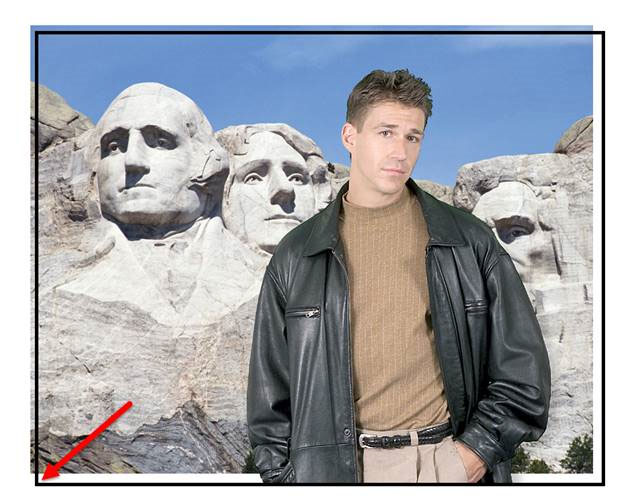
How to Align a Green Screen Image & Background

by Eric Woodchek | Apr 24, 2018 | A Wise Idea Archives, Booth, Darkroom Booth Archives, Green Screen Photography, How To, News & Updates Archives, Templates, Tips & Tricks Interview

Howdy Darkroom Booth Friends, Today, I have quick one but a good one! While doing support, I log into customer computers all the time and I am amazed how often I see a green screen image that is not placed properly on the background. Here is really easy trick to help...
« Older Entries
Next Entries »

Recent Posts

  • Lenticular Printing in Darkroom Booth
  • Fujifilm DX400W Printer Now Supported
  • Darkroom Server Setup: A Guide to High-Volume Workflows
  • Crafting Unforgettable Photo Booth Experiences with AI and Darkroom
  • Is Your Photo Booth Ready for Halloween?

Categories

  • A Wise Idea Archives
  • Booth
  • Booth for iPad
  • Customer Profile
  • Darkroom Booth Archives
  • Darkroom Core and Pro
  • Event Gallery
  • Event Photography Archives
  • Green Screen Photography
  • Hotfolder App
  • How To
  • News & Updates Archives
  • Newsletter Articles
  • Photo booth
  • Portrait Photography
  • Press Release
  • Promotion
  • School Photography
  • Special Announcements
  • Sports Photography
  • Templates
  • Tips & Tricks Interview
  • Troubleshooting
  • Video Tutorials Archives
  • Webinars
  • Wedding Photography
  • Home
  • About Us
  • Testimonials
  • Contact Us
  • Terms and Conditions
  • Privacy Policy
  • Blog
© 2025 Darkroom Software, LLC. All Rights Reserved.

  • Download a Free Trial

    Yes, please send me more information on getting started with a free trial.

    NOTE: If you already own Darkroom Software, please visit the Downloads Page.

https://darkroomsoftware.com/wp-content/uploads/2025/11/Booth-2025-Promo.mp4