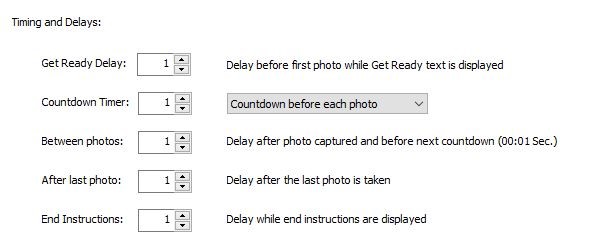
Many Darkroom Booth users have asked if Booth photo booth software can be used for a Mirror booth and the answer is yes and it isn’t hard at all. As you will see, the hardest part is coming up with the graphic elements. Here is a demonstration of video graphics...
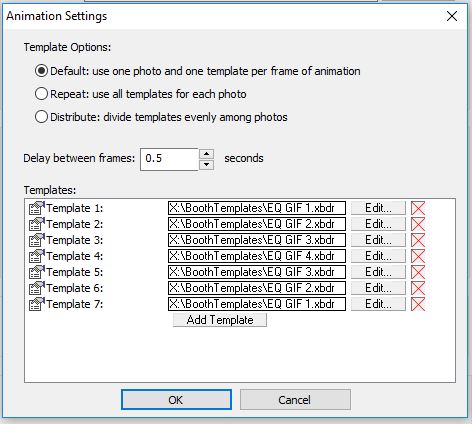
Creating a Boomerang-style animated gif with Darkroom Booth is easy and doesn’t require any special templates or add on software. Simply create a regular GIF and add a template for each photo in order such that they play forward and then in reverse. That way the GIF...
This PDF contains some of the most often troubleshooting tips for Darkroom Booth photo booth software shared by the Darkroom support team. Click here to download Darkroom Booth Troubleshooting...
In this video Wally Carnes, Darkroom Software operations manager, demonstrates cables, connectors and USB hubs for event and photo booth printers, DSLR cameras, computers and tablets. He explains the different types of USB and video cables available and why it is...
Did you know…If you do not add a live-view to a screen template, Darkroom Booth will automatically use the next available photo object as the live-view. This is really helpful when you need the live-view to move throughout your screen template. This is also helpful if...