
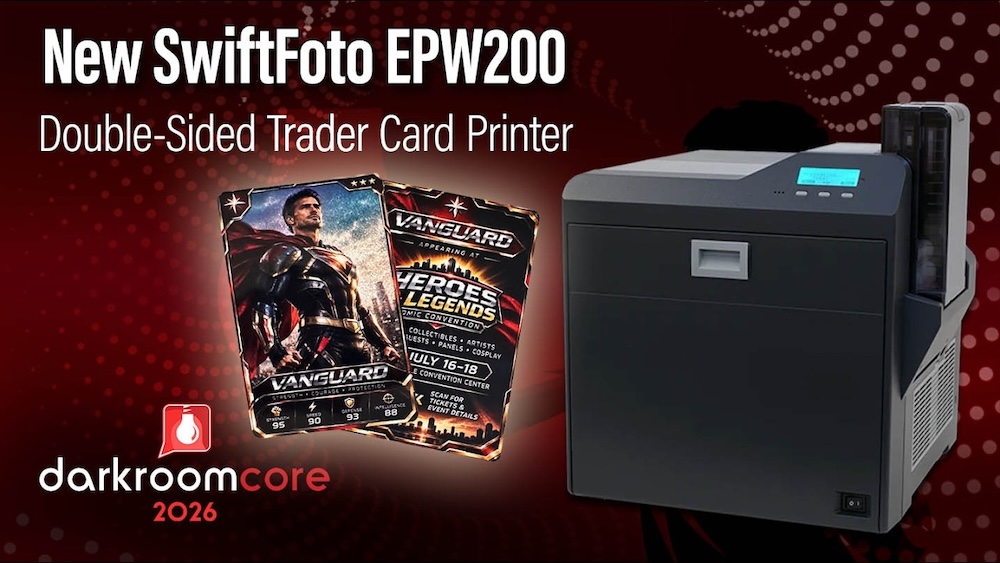
What if every athlete on picture day could get their own holographic rookie card? The SwiftFoto EPW200 trading card printer and Darkroom Core let you turn a player portrait into a double-sided collectible, with a holographic finish on the front and room for player stats or a team photo on the back. In our video tutorial, Eugene shows you how to connect the printer, build a trading card package, and control where the holographic effect shows through.
Watch Eugene’s full SwiftFoto EPW200 tutorial
1. Connect the SwiftFoto EPW200 to Darkroom Core
Start with a build of Darkroom Core that supports the EPW200. Before connecting the printer, download and extract the required USB communication files from the Darkroom Help Center. Then open Setup → Add Printer in Darkroom Core, select SwiftFoto EPW200, and connect and power on the printer. Confirm that Darkroom detects both the printer and the loaded media. If the EPW200 is missing from the printer list, check your Darkroom Core build before proceeding.
Get the download and installation instructions in the Darkroom Help Center
2. Build a trading card print package
In your package group, choose Add Package, give it a name, and select Add Local Print Item → Credit Card. The EPW200 prints on CR80 stock, which measures about 3.37 × 2.13 inches. Choose the Credit Card size when building your package and lay out your artwork for those dimensions.
3. Design the front and back of the card
On the front, place the player portrait over a background with adjustable transparency. Eugene uses green screen or background removal to keep the subject crisp while letting the holographic stock show through selected areas. Try making the background layer more transparent if you want more shimmer, or keep more of the background image visible for a subtler effect. In the template’s Page Color settings, enable the transparent background option so the effect carries through to the print.
Select Back in the template editor to add a reverse side for player stats, a team photo, or a sponsor logo. The holographic effect appears only on the front. In Photo Workshop, choose the template, check both sides, and place the order using your trading card package. Eugene’s double-sided card takes about 90 seconds to print.
Beyond sports picture day
For team and individual sports photographers, a personalized trading card gives families another keepsake to add to their picture-day order. The same workflow can turn a convention portrait into a character card, a branded photo booth capture into a sponsor collectible, or a Santa portrait into a holiday keepsake with a little extra sparkle.
Explore the SwiftFoto EPW200 trading card printer at Imaging Spectrum